su 4 Aug
2019 |
 Recently
we've had two admittedly elderly desktops
struggle with Window 10 updates significantly slowing
the machines. In both cases
Windows 10 Assistant fixed the problem. On one
machine it pointed out that 8Gig free space was needed on the
hard disc and there was only three, a little tidying
steamed the broccoli.
|
th 28 Aug
2025 |
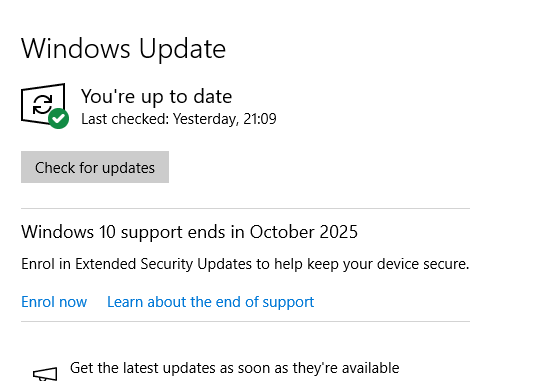
  Zooming
Sunday night with Big Al who's in Switzerland he
pointed out that on his Windows update page there's an
Enrol now link to extend security updates for
Windows
10. We looked at ours Monday and no Enrol now
on our pc but we installed the latest system update and
today Enrol now
has
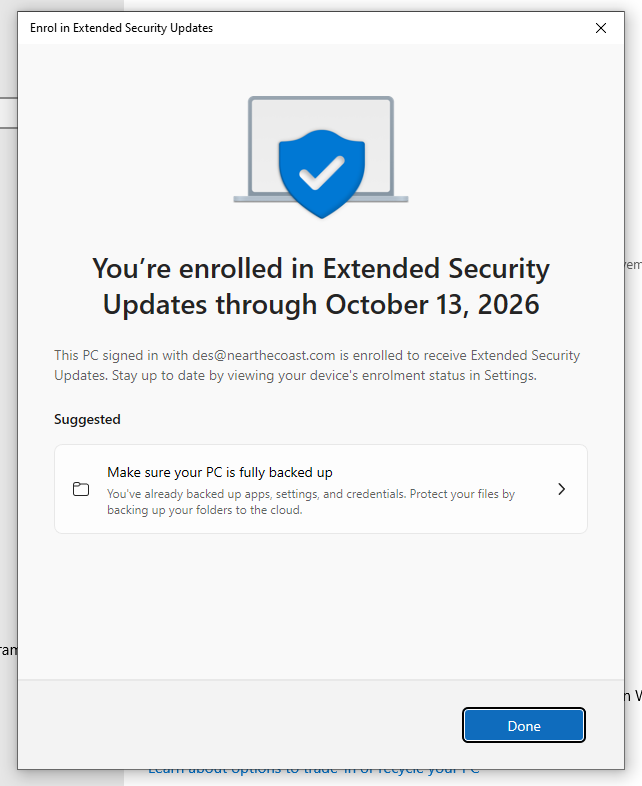
appeared. We clicked it and after the usual tangle
with passwords and PINs we couldn't remember our security
updates for Win 10 are extended to
October 2026.
|
tu 6 May
2025
Windows 10 |
 WARNING Trump
isn't the only knob in the USA, Microsoft are 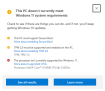 ending
support for Windows 10 Tuesday 14 October including
security fixes. To see if your
box will run Windows 11 download and install
PC Health Check but if your box is more than five years old
probably not. Maybe Trump will make the Windows 12
upgrade easier by only allowing Americans to have it.
|
we 22 Nov
2017
 |
It
seems that Microscoft have been pratting about with the
photo viewer in the latest Win10 upgrade. The
slideshow icon has disappeared but
user key f5 will do it; and there's now a different
response to the magnifying glass zoom so useful to know that
Ctrl + mouse wheel will zoom a
pic.
|
th 24 Aug
2017 |
It
worried us for quite a while that the Windows 10
accent system colour kept changing all by itself on
a desktop.
It was happening because we'd set the background to slide
show and when the graphic changed so did the accent colour.
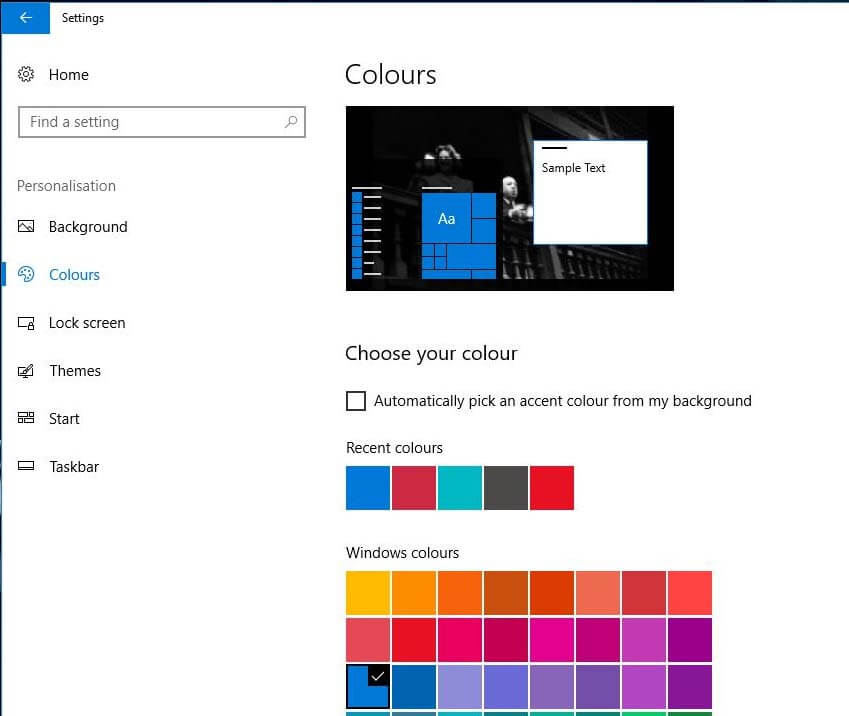
Fix it by Windows Key/Settings/Personalisation/Colours and
uncheck the
Automatically pick an accent colour ... box.
|
tu 25 Oct
2016 |
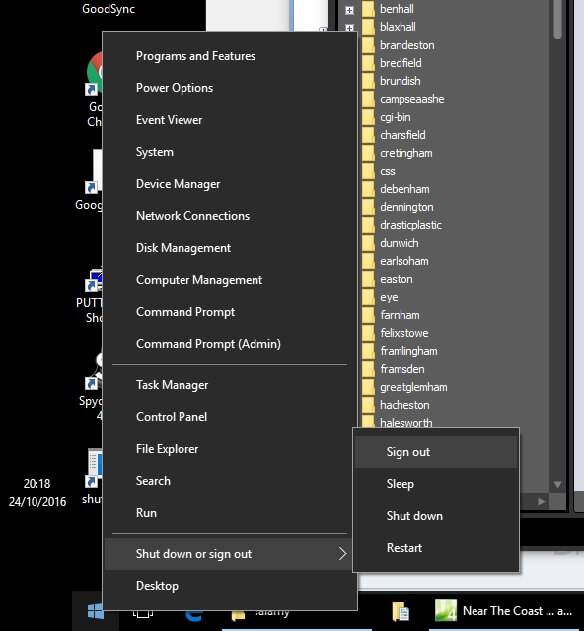
The
thing about Windows is it's made mostly by Americans and
they don't realise that in their foreign people do strange
things like sometimes turn their computer off. The
Windows anniversary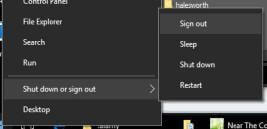 update has made it even more difficult to turn the
bloody thing off. You can still do it from the
keyboard but you need to know the shortcut
Windows key + X/U/U.
We've also added on a desktop the shortcut
described at CNet (Option 2: halfway down).
|
we 5 Oct
2016 |
The
Windows 10
Anniversary Update
took forever here, forced multiple reboots with the last reboot leaving a desktop
hanging and we had to force our own reboot. If
like us you've previously turned Cortana off annoyingly the update
turns it back on and removes the on/off toggle.
How-To Geek have a download (halfway
down the page) that's a one click fix.
|
tu 12 Jul
2016
Toggle Keys |
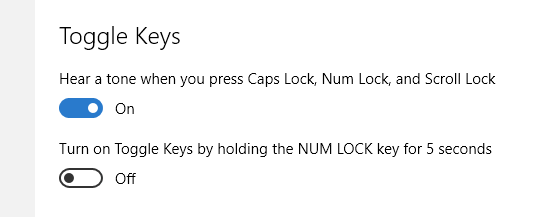
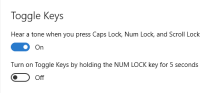 Worth
repeating: turn on Toggle Keys
and
you'll hear a confirming higher pitched tone when you
turn on Caps; Num or Scroll Lock, turn them off and
you'll hear a lower pitched tone. To set Toggle
Keys in Windows 10 go Windows key/Settings/Ease of
Access/Keyboard/Toggle
Keys-On.
|
sa 28 May
2016 |
Windows
10's picture viewer Photo Gallery defaults to slide
shows in that annoying Pan and zoom Ken Burns
way. If you hover your mouse top left a
Change theme pull down appears so you can change to
slightly less irritating transitions but there doesn't
seem to be a way to change the default, that's stuck at
Pan and zoom.
|
tu 8 Mar
2016
 |
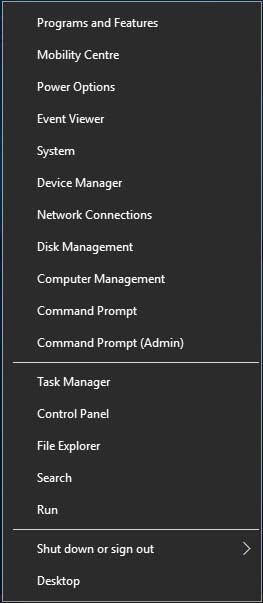
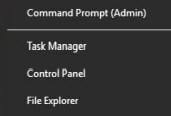 In
Windows 10 lots of the old favourites like Control Panel
aren't immediately apparent, point the mouse at the
Windows button bottom left (unless you've moved the task
bar) and click the right mouse button (if you're right
handed) to get
this useful menu.
|
su 10 Jan
2016 |
When
we upgraded to Windows 10 in that American way it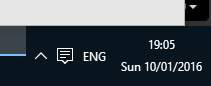 added a US keyboard causing ENG to appear bottom right
on the task bar. (ENG lets you switch between
keyboards.) No biggy but a bit annoying and
another bit of the screen occupied for no reward.
Removing the US keyboard is a little bit of a faff, we
went Windows/C/Control Panel/Language, selected English
(United States) and then clicked Remove above ... ENG
gone.
|
we 4 Nov
2015 |
Windows
10 brings the gestures you know on other devices to your
touchpad. Particularly useful if your touchpad
doesn't have scroll bars is the two fingered swipe.
|
fr 9 Oct
2015 |
Americans
eh? In Windows 10 it still takes three clicks to
turn your pc off because our colonial cousins never do, it first assumes
you have a US keyboard and there's no DVD player
software because we're all going to have Netflix
subscriptions ... except when we put
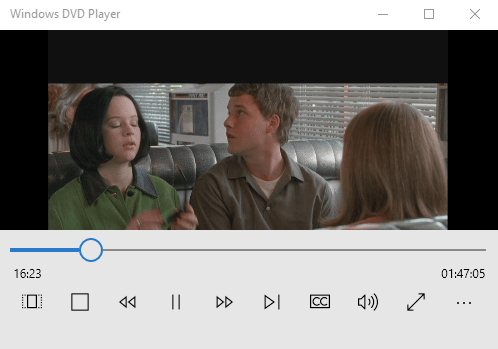
Ghost World in and after a bit of clicking
it did play in the Microscoft DVD player.
Microscoft have really muddied the water over this but
we upgraded to 10 from Win 7 and presumably got a
free
DVD player download. If this doesn't work for
you try the free, open
source and French
VLC
media player.
|
we 16 Sep
2015 |
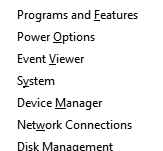 A
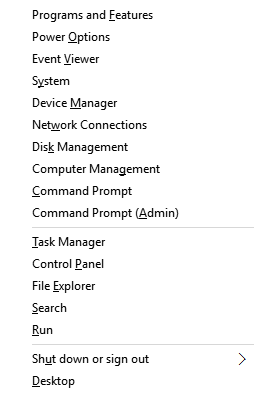
useful new keyboard shortcut in Windows 10 is Windows
key + X which pops up a substantial menu of system stuff
and has underlined
keyboard shortcuts. You can do the same thing by
right clicking what's now the Windows 10 logo bottom
left and was the Start button, the same menu appears and
though keyboard shortcuts are not underlined they still
function.
|
th 3 Sep
2015 |
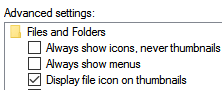 This
might be a bug in Windows 10 and happened to us after we
had to reinstall a scanner driver, when listing picture
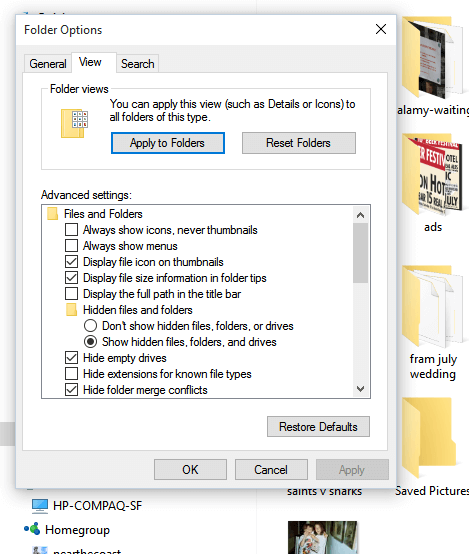
file in File Explorer there aren't any thumbnails.
The fix is straight forward; in File Explorer click the
View tab, click Options, click the
View tab and make sure the first check box Always
show icons, never thumbnails is unchecked.
|
mo 17 Aug
2015 |
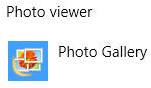 After
updating to Windows 10 and not taking advantage of the
installer's offer to change the file associations (they
set which app opens when you double click on a file)
you'll find pictures now open in Microscoft's
viewer/editor Photos. If you want the old viewer
back go Settings/System/Default apps and set Photo
viewer to Photo Gallery.
|
su 16 Aug
2015 |
03:11pm:
We've done two backups, one to a USB drive and one to the NAS,
taken a deep calming breath and about to start a Windows 10
upgrade on the main desktop here ...
05:30pm: Windows 10 installed, fairly painless
though a number of forced power offs have been needed.
Nothing that different from Windows 7 but still having to find
our way round ...
|
fr 31 Jul
2015 |
Ah, there isn't a free Windows 10
upgrade for Vista ...
|
th 30 Jul
2015 |
 Windows
10 installed at second attempt. It looks very flat and
simple as is the fashion these days perhaps because it works
better on a smartphone, a new browser named Edge no
doubt without the definite article to prevention confusion with
people called David, a thing called WiFi-Sense to
manage and protect your wireless connections, and an impressive
weather app which includes historical data.
We're going to try updating a Vista laptop that actually is
Vista next.
|
we 29 Jul
2015 |
11:25am:
Waiting for the
free Windows 10 upgrade on a Vista laptop, of course
everything has decided to update itself to confuse the issue ...
02:25pm: Vista laptop finally updated despite
Windows Upgrade's determination to install some Windows 7
upgrades ... no sign of Windows 10 won't hold our breath.
02:44pm: Ah, just found the Windows 10 download
directory on the Vista laptop so the download has started ...
04:44pm: Three gig downloaded in the last three
hours and still at it ...
05:29pm: The download seems to have completed
at 5.2 gig but no email confirmation ...
05:40pm: The laptop seems to be Windows 7 I
would have sworn it was Vista ...
08:50pm: Still no email but we tickled the
install to start but it then failed with error 80240020.
The Microscoft fix for this is to download again ... see you
tomorrow.
|
th 22 Jan
2015 |
Microsoft Windows 10 is due this year. (April?
Hold your breath?)
Despite
the Beeb getting a mild stiffy over augmented
reality and the speech interface Cortana, surely the
most relevant news for Win 7 and Win 8 users is the
upgrade will be free for them during the first year of
release.
|